posthell vs Buffer
Buffer is a tidy place to queue posts you have already written. posthell writes the posts first, then queues them for your approval.
 By Rohan Gotwal, Founder, posthellUpdated October 20, 2026
Buffer is easy to learn, and its free plan is one of the few in this category you can run a small account on. It also has a community inbox for replying to comments on every plan, free included. It is honest about what it is: a scheduler. Its AI Assistant writes or reworks a post from what you type, but you still decide what to post about, finish every post and fill the queue one at a time. Paid plans are priced per channel, so a bakery on Facebook, Instagram, TikTok and Pinterest pays for four. posthell starts a step earlier. You tell it what happened this week, or let it read your website, and it writes the posts in your voice, makes a version for each network and holds them until you approve. Solo covers 5 accounts for $12 a month. If your posts are already written, Buffer is simpler, and the free plan may be all you need. If writing them is the reason your page went quiet, that is the part posthell does.
posthell vs Buffer at a glance
| Compared on | posthell | Buffer |
|---|---|---|
| Pricing model | Three flat plans. Solo is $12 a month ($10 billed yearly), Pro $24 ($18) and Assistant $49 ($37). 7 days free on the monthly plans, card required. | Priced per channel, with a permanent free plan for 3 channels. Each channel you add raises the bill, as of this update. |
| Who writes the posts | posthell writes them from a line about your week, or from your website at sign-up, in your voice and without inventing facts | You do. Its AI Assistant writes or reworks a post from what you type. |
| Built for | The owner of a small business with nobody on staff for social media | Creators, teams and agencies, in Buffer's own words |
| Networks | 9 networks: X, LinkedIn, Instagram, Threads, Bluesky, Facebook, TikTok, YouTube and Pinterest. No Google Business. | 13 channels, including Google Business Profile, Mastodon and YouTube Shorts |
| Replying to comments | No comment inbox. You reply in each network's own app. | Yes, a community inbox on every plan, with AI reply suggestions |
| Getting started | Paste your website and see three finished posts before you pay, then approve drafts | Connect channels and start writing; one of the easiest tools to learn |
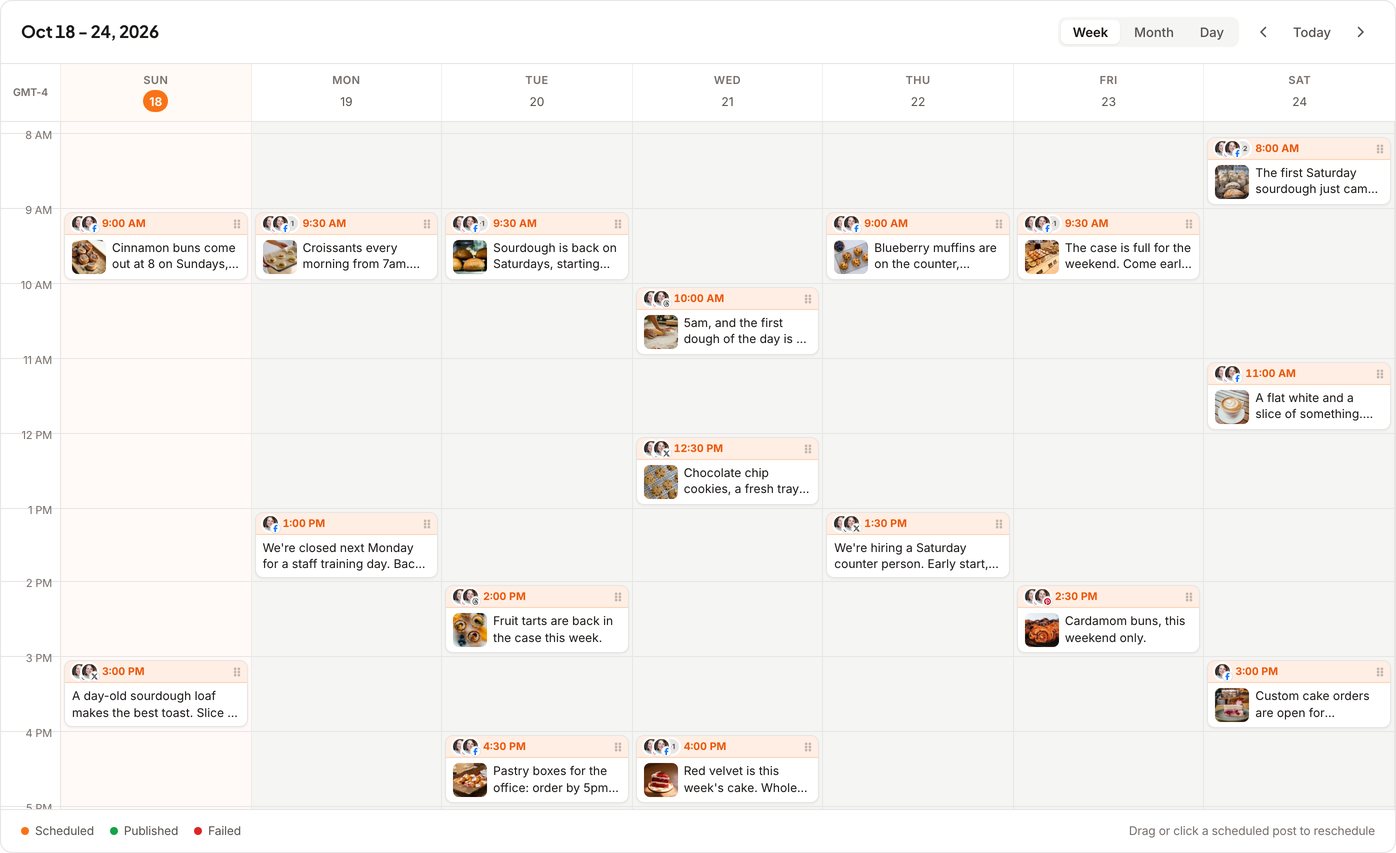
Why people switch from Buffer to posthell
It starts from your week, not from a blank box
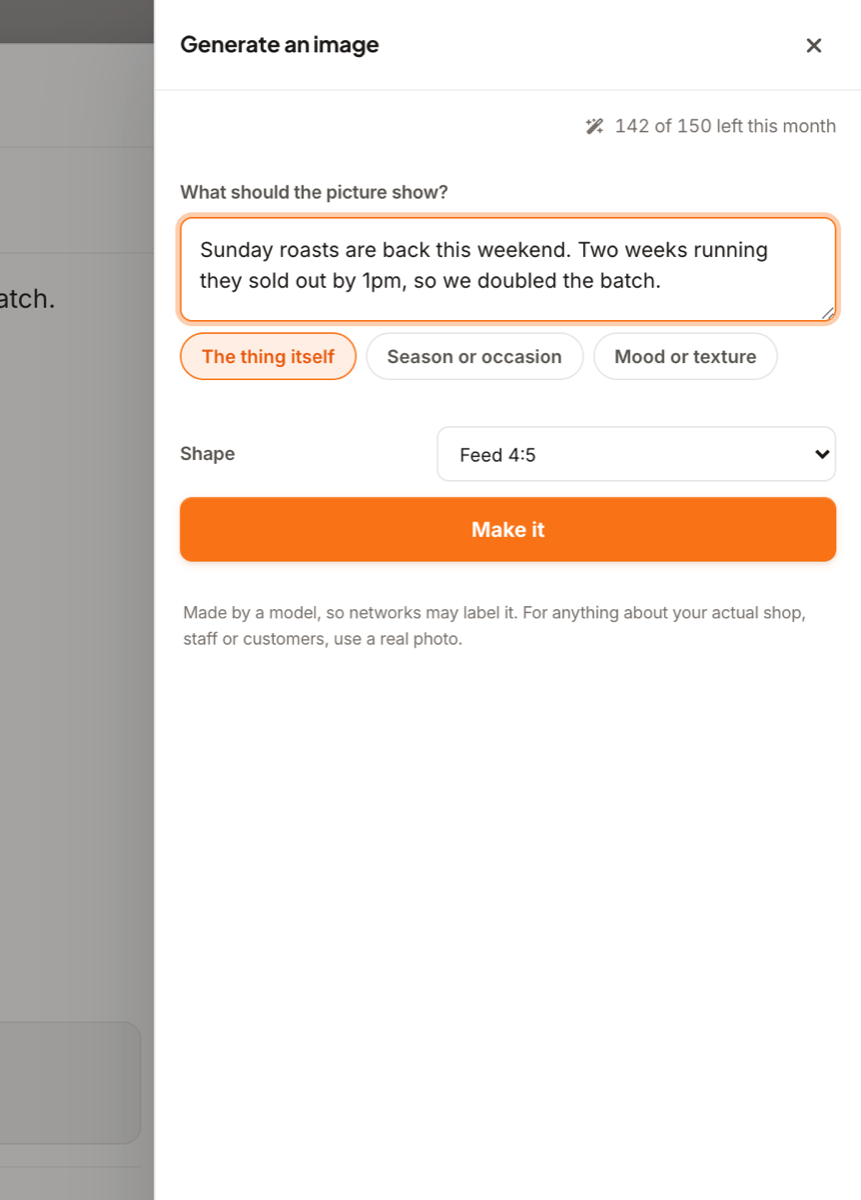
Buffer's composer waits for you to bring the idea. posthell asks what happened: the new hire, the Saturday special, the job you finished. It writes the post from that, in the way you talk, and does not add facts you did not give it.
One price for the business, not one per channel
On Buffer every network you add is another line on the bill. posthell charges for the plan, not the channels. Connected accounts: 5 on Solo, 15 on Pro and as many as you like on Assistant.
A week approved in one sitting
Drafts wait in Review with a version for each network. Approve them one at a time, or tick a whole week and approve them together, from your phone, between customers.
Which one is right for you
To be fair to Buffer: A real free plan, simple per-channel pricing, a gentle learning curve and a community inbox for replying to comments on every plan.
- You want the posts written for you, not an empty composer to fill
- You post to four or five networks and do not want a bill that grows per channel
- You would rather approve a week of drafts in one sitting than write a week of posts
- You already write your own posts and only need somewhere to queue them
- A free plan for three channels covers you
- You want to reply to comments, or post to Google Business, from the same app
Moving from Buffer takes minutes, not a migration
Paste your website when you sign up and posthell shows you three finished posts, written for your business, before you pay. Then connect your accounts and approve the drafts. There is no content library to import and no dashboard to relearn.
Frequently asked questions
Is posthell a good Buffer alternative for a small business?
Yes, if writing the posts is the part you never get to. Buffer schedules what you have written; posthell writes the posts from what you tell it happened, makes a version for each network and waits for your approval. If you already have the posts, Buffer is a simpler scheduler with a free plan.
Is Buffer free?
Buffer has a permanent free plan for 3 channels, with 10 scheduled posts per channel and one user, as of this update. Paid plans are priced per channel. posthell has no free plan; the monthly plans start with 7 days free, and Solo is $12 a month ($10 billed yearly), Pro $24 ($18) and Assistant $49 ($37).
Can I move from Buffer to posthell without losing anything?
Your posts stay on your social accounts either way, because both tools publish to the networks directly. Moving means connecting your accounts to posthell and letting it draft your next week. Buffer's queue does not import, so let anything already scheduled there go out first.
Does Buffer have an MCP server for AI tools?
Yes. Buffer runs an official MCP server, included on every plan including the free one, so an AI tool can create, schedule and edit posts in Buffer (per Buffer's own docs as of this update). posthell has one too, as an optional extra for technical users (docs at posthell.com/mcp); by default anything an AI tool sends it waits in Review for your approval.
Where the Buffer facts come from
Checked on October 20, 2026. Plans and features change, so check with Buffer before you buy.
Related reading
Tell it what happened this week. Approve the posts.
posthell writes your posts in your voice, makes a version for each network you use (it publishes to X, LinkedIn, Instagram, Threads, Bluesky, Facebook, TikTok, YouTube and Pinterest) and schedules them. Nothing goes out until you approve it. Plans from $12 a month, with 7 days free on the monthly plans.