posthell vs Planoly
Planoly is a visual planner for Instagram-first creators and shops. posthell writes the captions and posts them to every network you use.
 By Rohan Gotwal, Founder, posthellUpdated October 20, 2026
Planoly is at its best when the look of your Instagram grid is the plan: drag photos into place, see the feed before it goes live, and schedule to Instagram, TikTok, Pinterest and a few more. It is cheap to start, priced per social set, and its paid plans add an AI caption writer and an idea generator. Its Trustpilot reviews are mixed, with complaints about posts that failed to publish automatically. posthell starts from the words rather than the grid. You tell it what happened this week and it writes the caption in your voice, then makes a version for Facebook, LinkedIn, Threads and the rest so the same news fits each network. For a boutique that sells on the look of its grid, Planoly earns its place. For a salon or cafe that needs a steady run of posts across several networks, posthell does more of the work.
posthell vs Planoly at a glance
| Compared on | posthell | Planoly |
|---|---|---|
| Pricing model | Three flat plans. Solo is $12 a month ($10 billed yearly), Pro $24 ($18) and Assistant $49 ($37). 7 days free on the monthly plans, card required. | Priced per social set, with a small free plan and a 14-day trial on paid plans, as of this update |
| Who writes the posts | posthell writes them from a line about your week, or from your website at sign-up, in your voice and without inventing facts | You do; paid plans add an AI caption writer and idea generator |
| Built for | The owner of a small business with nobody on staff for social media | Creators, small teams and shops whose marketing starts on Instagram |
| Networks | 9 networks: X, LinkedIn, Instagram, Threads, Bluesky, Facebook, TikTok, YouTube and Pinterest. No Google Business. | Instagram, Facebook, TikTok, LinkedIn, Pinterest and Threads, plus YouTube scheduling. X is more limited. No Google Business or Bluesky. |
| Pictures | AI images every month (30 on Solo, 100 on Pro and 150 on Assistant), brand cards in your colours, and your own photo library | You bring the photos and arrange them on a visual grid |
| Replying to comments | No comment inbox. You reply in each network's own app. | Instagram comments and DM automation |
| Analytics | Views, likes, comments and shares per post, plus the days and hours that did best for you | Analytics across your accounts on paid plans |
Why people switch from Planoly to posthell
Words first, then the grid
Planoly is lovely for arranging photos and leaves the caption box for you. posthell fills the caption box: a line about the week becomes a caption in your voice, ready for you to approve or change.
The same news, fitted to each network
An Instagram caption reads oddly on LinkedIn and runs long on X. posthell writes a version for each network from one update, so the new opening hours sound right wherever they go.
Pictures when the camera roll is empty
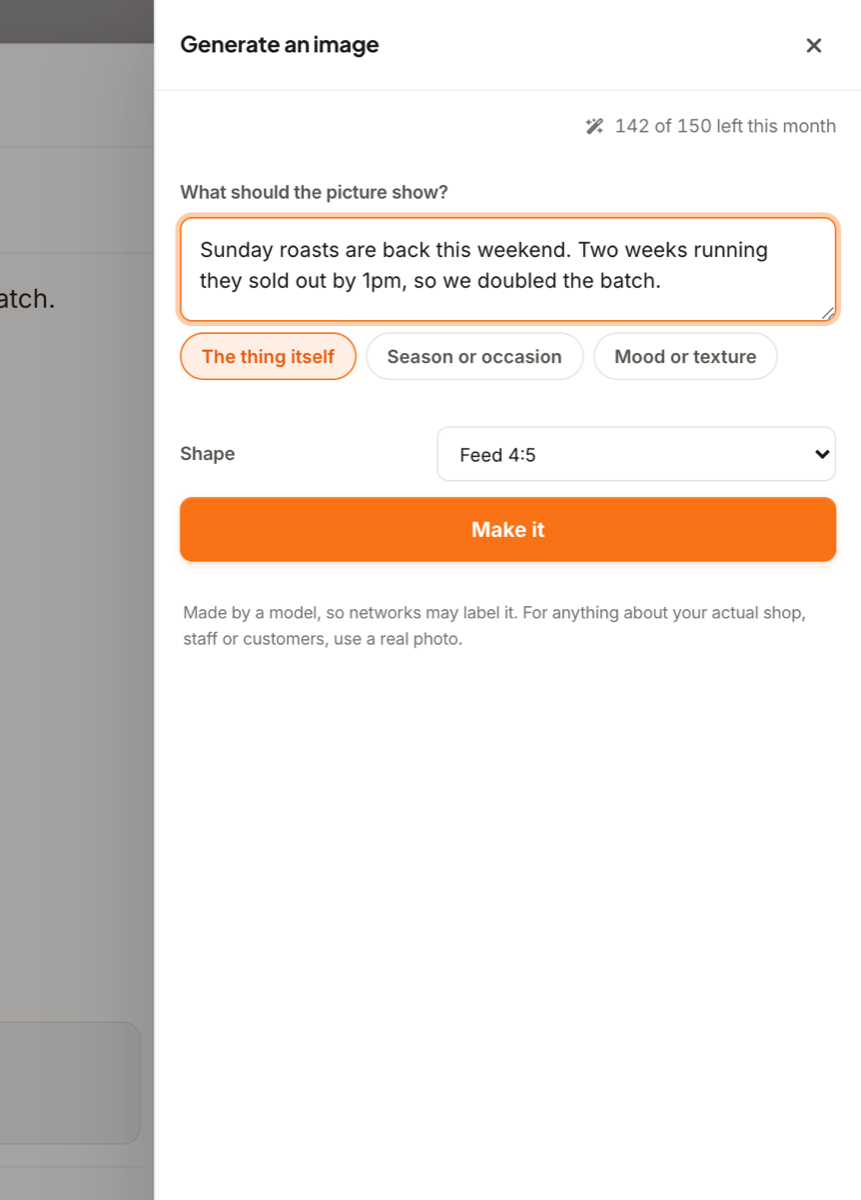
On the weeks you have no photo, posthell can make an image (30 on Solo, 100 on Pro and 150 on Assistant a month) or a brand card in your colours. For your actual shop, staff or customers it asks for a real photo instead.
Which one is right for you
To be fair to Planoly: A clean visual planner for the Instagram grid, with a free plan to try it and low entry prices.
- The captions are the hold-up, not the photos
- You post to Facebook, LinkedIn, YouTube, X or Bluesky as well as Instagram
- You want a version written for each network, not one caption pasted everywhere
- Planning the look of your Instagram grid is how you sell
- A free plan with a few uploads a month is enough
- You want Instagram DM automation
Moving from Planoly takes minutes, not a migration
Paste your website when you sign up and posthell shows you three finished posts, written for your business, before you pay. Then connect your accounts and approve the drafts. There is no content library to import and no dashboard to relearn.
Frequently asked questions
Is posthell a good Planoly alternative?
Yes, if writing captions is what holds you up, or if you post beyond Instagram. If planning the look of your grid is the main job, Planoly is the more visual tool.
Does posthell have a grid planner like Planoly?
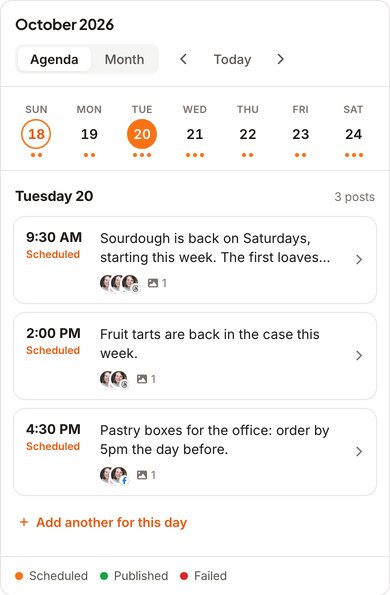
No. posthell shows your posts on a calendar with each post's picture, and it previews each network's version, but it does not lay out your Instagram grid in advance.
Does Planoly write captions?
Its paid plans include an AI caption writer and an idea generator that work from what you type in. posthell writes from what you tell it happened in the business, or from your website at sign-up, and adjusts the post for each network.
Does Planoly have an MCP server for AI tools?
Yes. Planoly runs an official remote MCP server, so an AI tool can draft and schedule posts in Planoly (per its help centre as of this update). posthell has one too, as an optional extra for technical users (docs at posthell.com/mcp); by default anything an AI tool sends it waits in Review for your approval.
Where the Planoly facts come from
Checked on October 20, 2026. Plans and features change, so check with Planoly before you buy.
Related reading
Tell it what happened this week. Approve the posts.
posthell writes your posts in your voice, makes a version for each network you use (it publishes to X, LinkedIn, Instagram, Threads, Bluesky, Facebook, TikTok, YouTube and Pinterest) and schedules them. Nothing goes out until you approve it. Plans from $12 a month, with 7 days free on the monthly plans.